
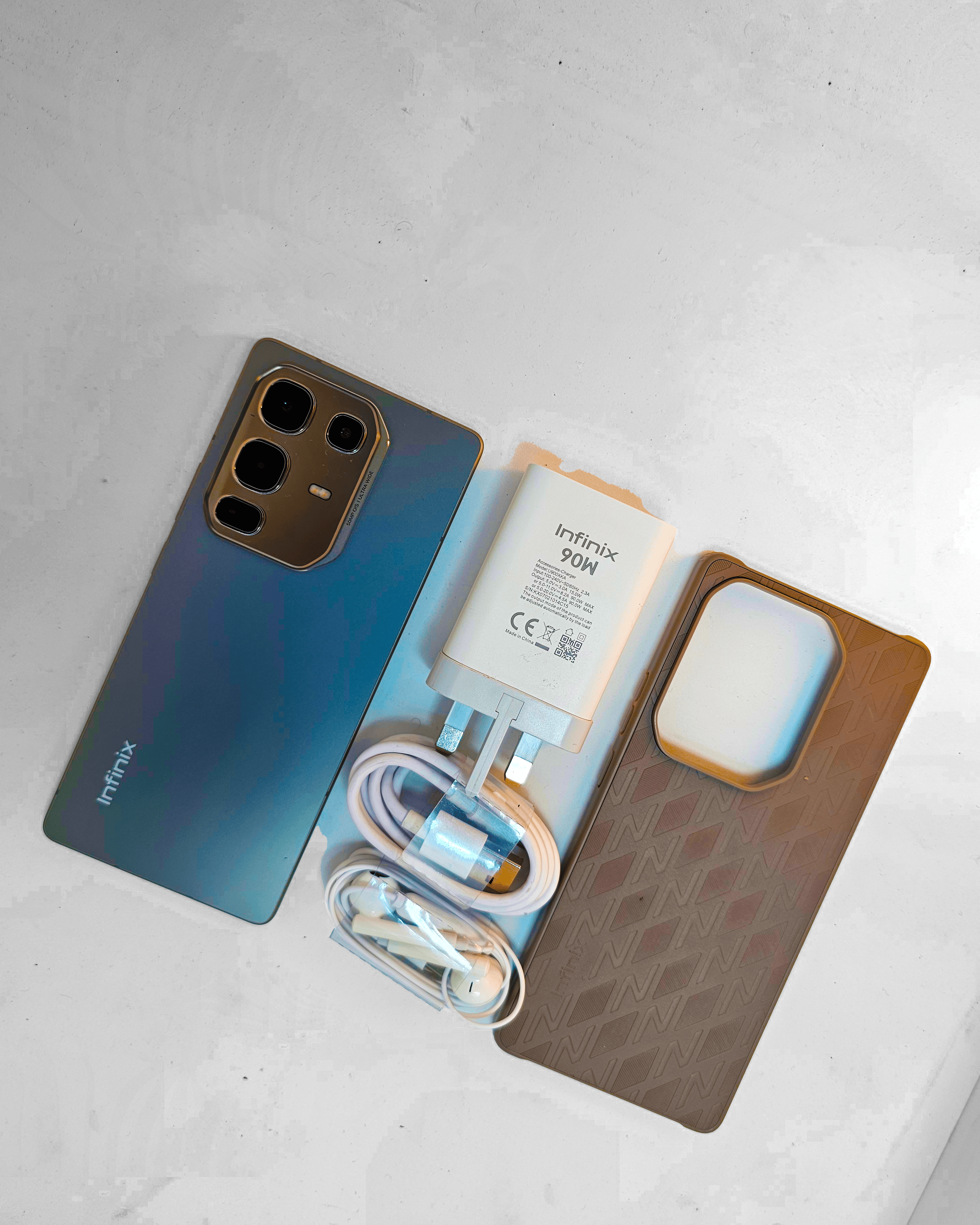
If someone had told me two years ago that a smartphone priced under ₦370,000 would boast a metal design, 90W fast charging, 30W wireless charging, a heart rate sensor, and a 144Hz AMOLED display, I would have assumed they were describing a mid-range flagship killer, not a budget device.
But here we are, and the Infinix Note 50 Pro is bold to change expectations.
I used this device as my daily driver for an entire week, calls, gaming, camera, editing, content creation, and even health tracking. What I observed impressed me and made me wonder what Infinix has up its sleeve next. Read my review in detail.
Design & Build: A Premium Feel That Rivals the Big Brands
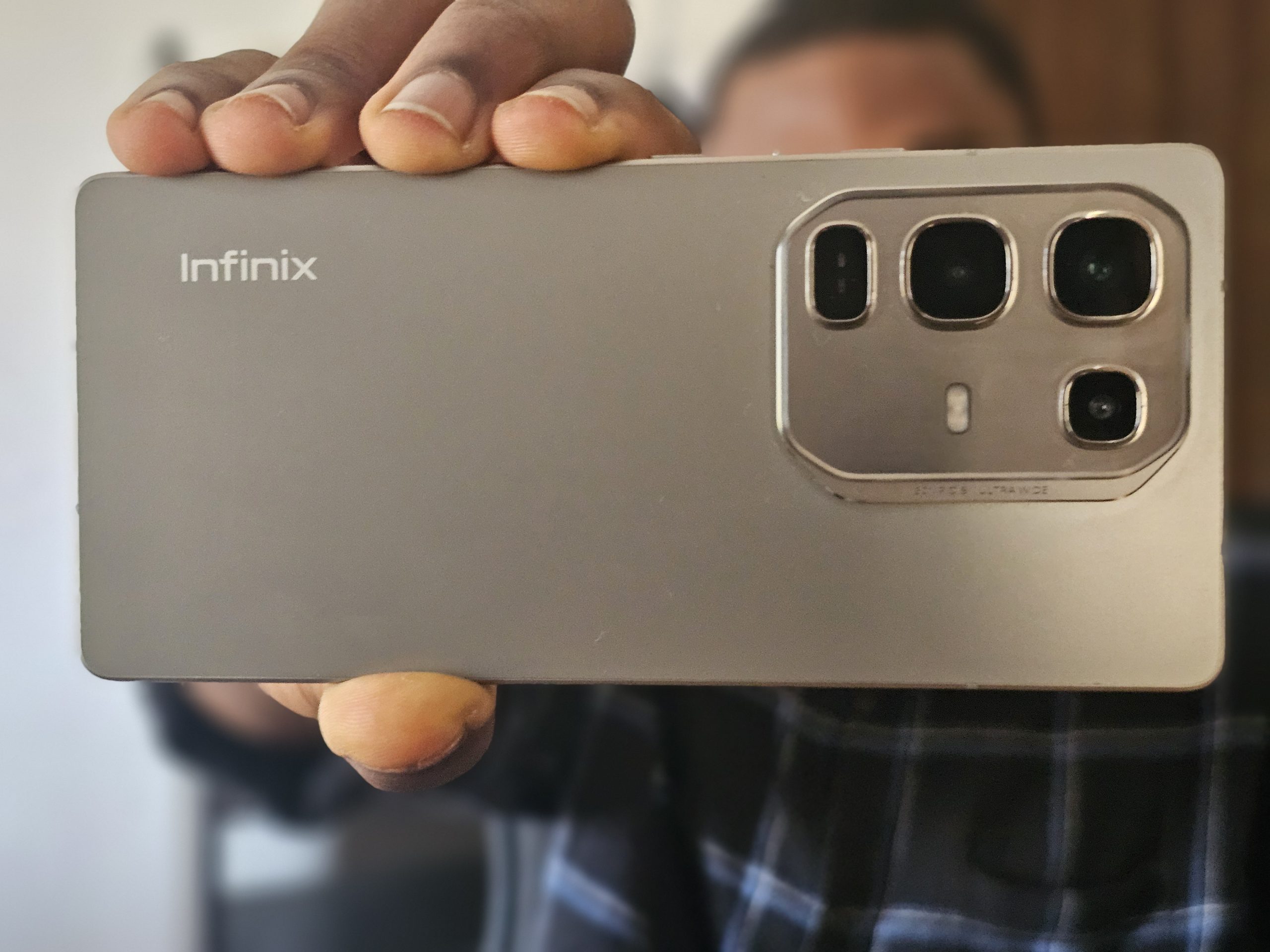
The moment you hold the Infinix Note 50 Pro, you’ll enjoy something rare in this price range , a flat armor alloy metal frame. It’s firm, cool to the touch, and very much reminds one of flagship devices like the iPhone 16 and Samsung Galaxy S25 Ultra. No joke , this phone feels premium without being premium in price.
Unlike other budget phones that make use of plastic casings and cut corners here and there, the Note 50 Pro is both lightweight (198g) and durable, thanks to silicon carbon battery tech, which keeps the phone light in spite of housing a massive 5,200mAh battery.
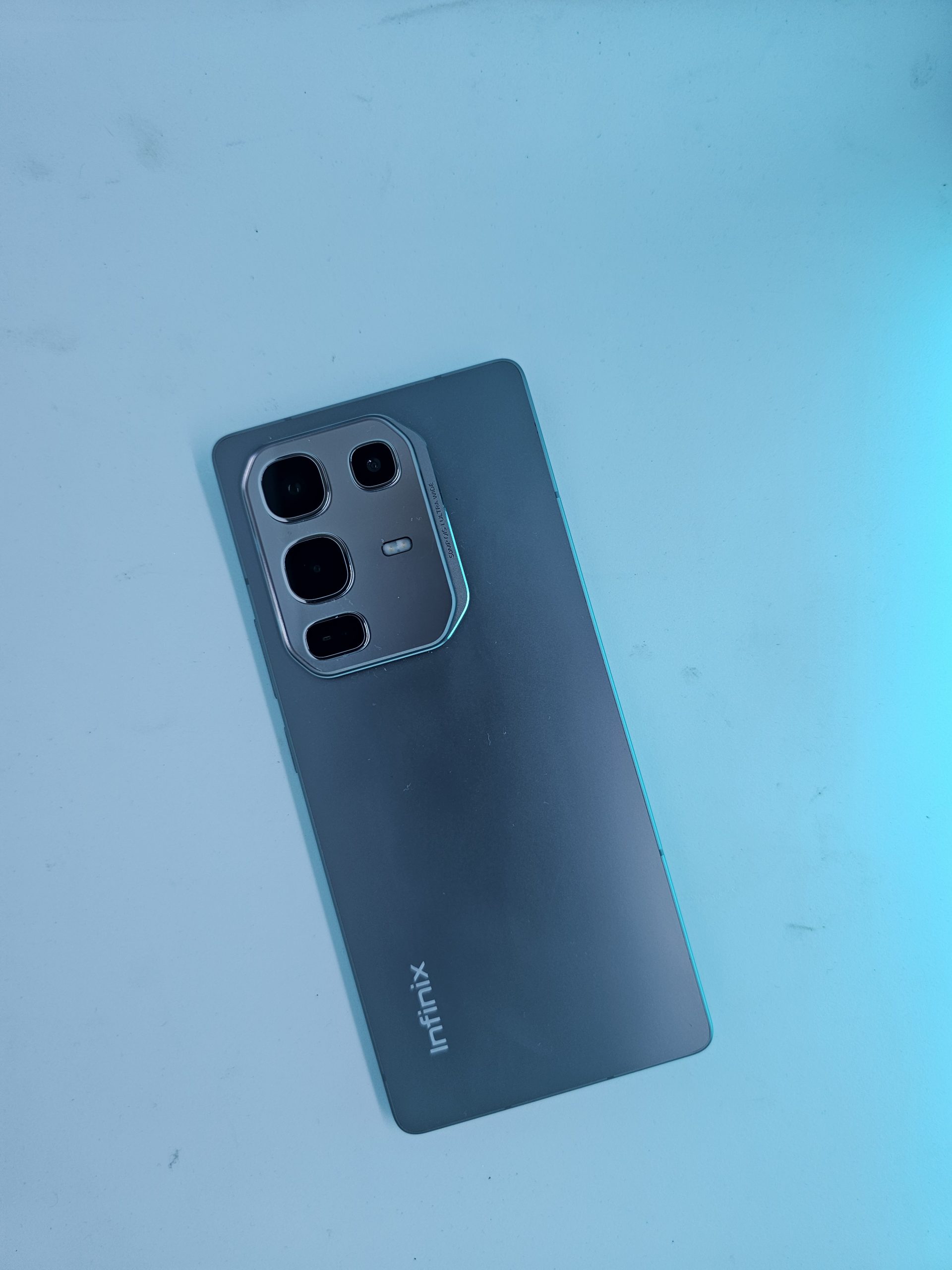
The rear features a unique octagonal camera bump, housing dual sensors and a bio-active halo sensor that lights up for calls, charging, or notifications. It’s functional, beautiful, and delightfully different.
Display & Multimedia: Immersive, Smooth, and Fun
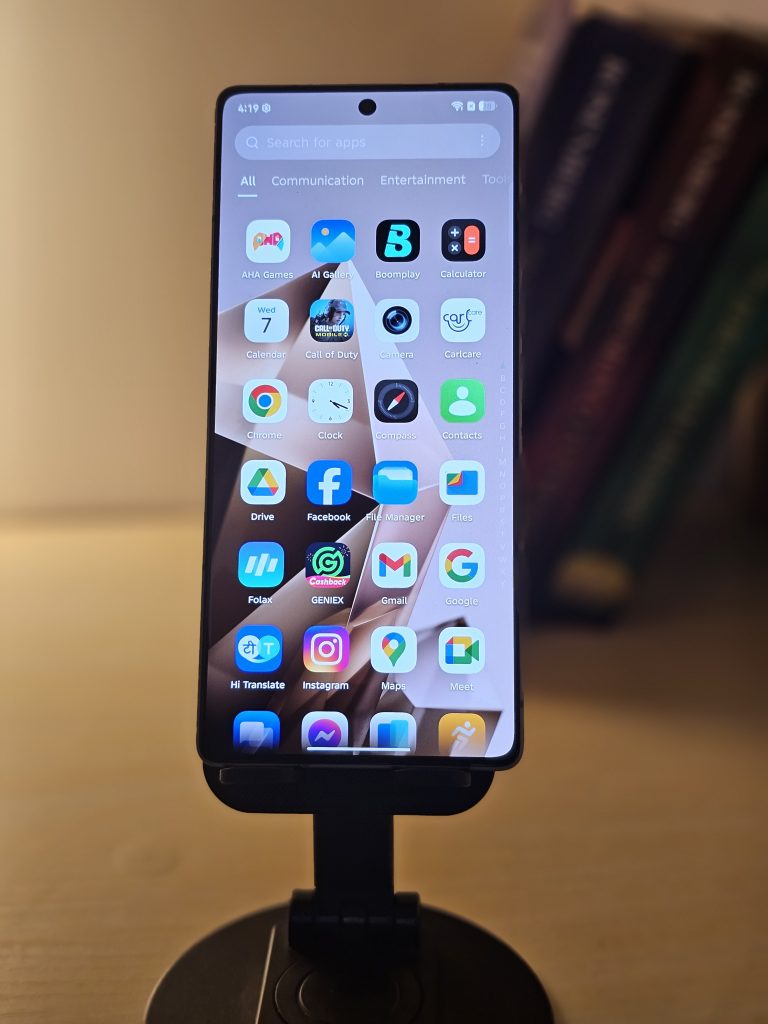
At the front, you have a 6.78-inch AMOLED screen with super-slim bezels , quite possibly the slimmest I’ve come across on a budget phone. The display is sharp, vibrant, and extremely color-rich, perfect for Netflix binges, gaming, or TikTok end-of-the-world scrolling.
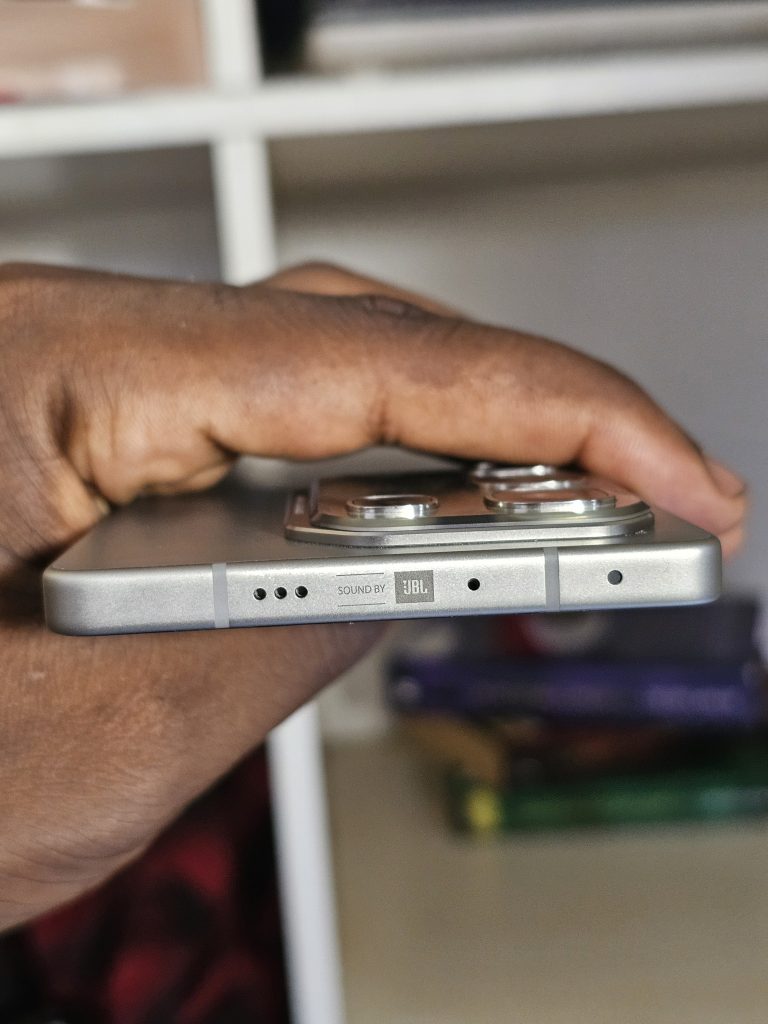
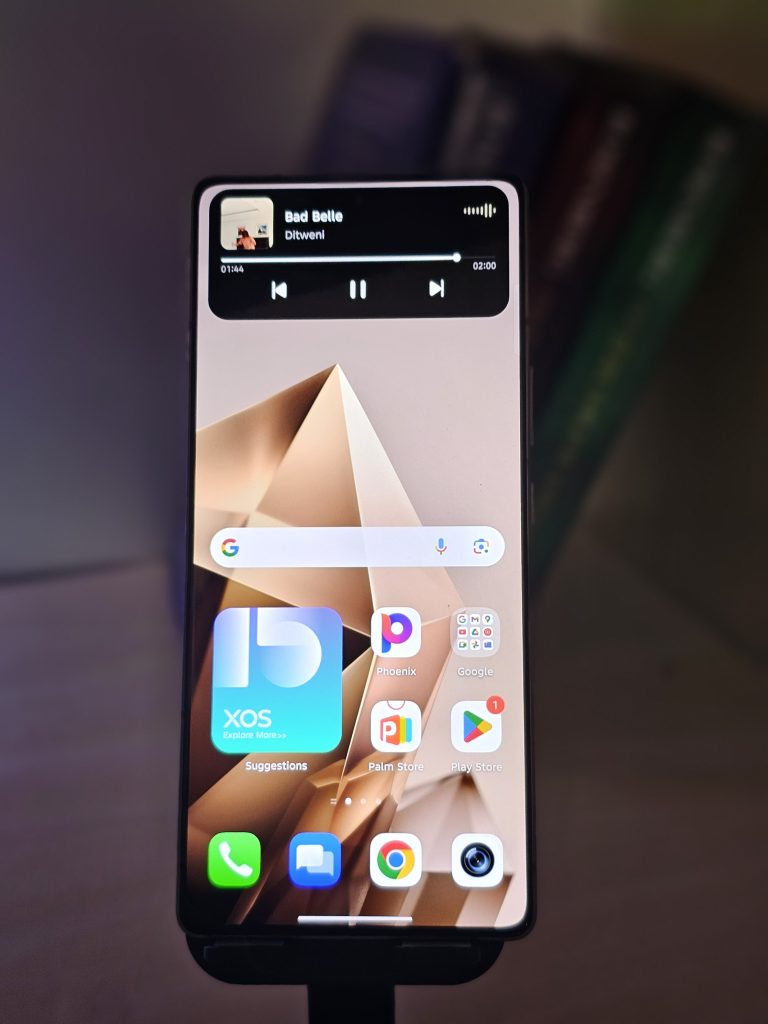
The cake’s cream? A 144Hz refresh rate, with a choice to switch over to a locked mode if you prefer to have the silky-smooth animations at all times. Add to that a dynamic island display and a JBL-tuned stereo speakers, and the Note 50 Pro’s media experience is at least a class ahead of the rest.
Performance: Reliable for Daily Use and Casual Gaming
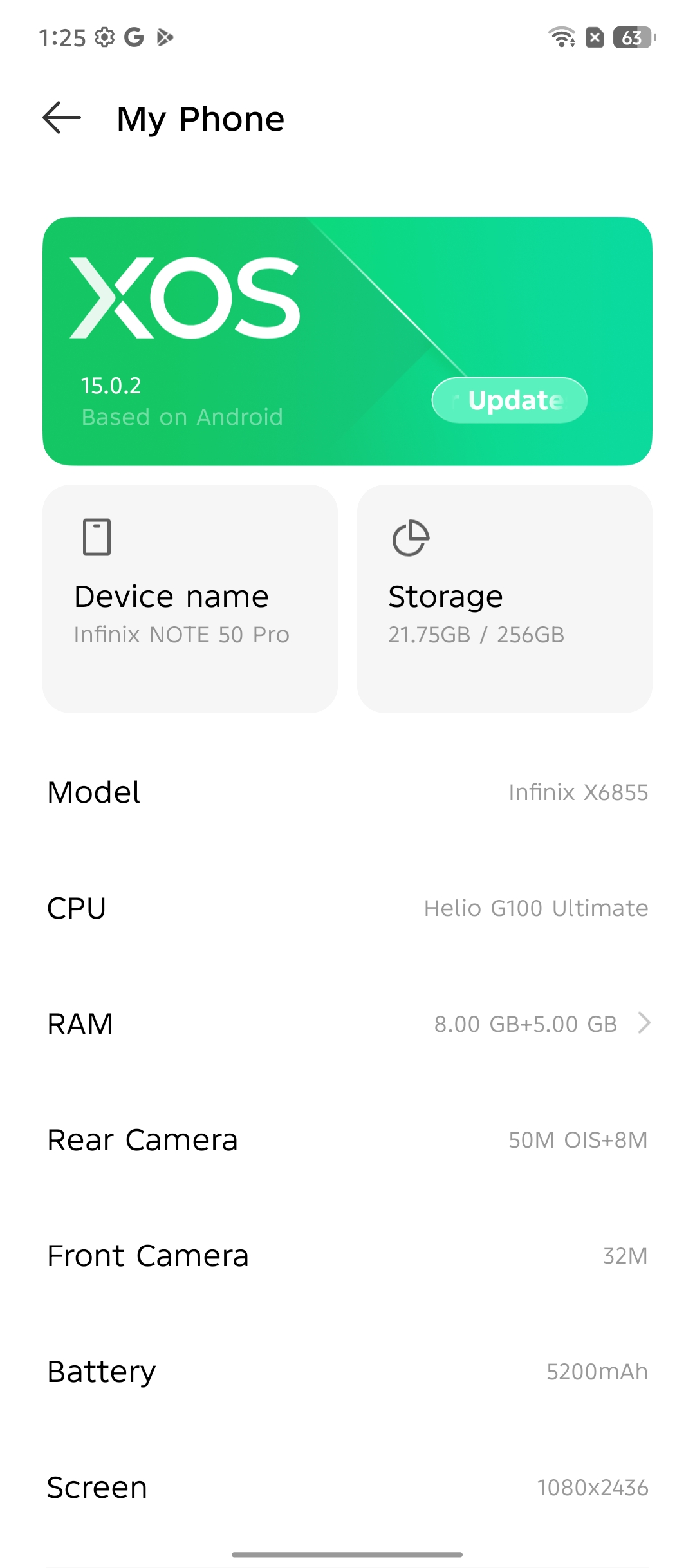
Under the hood is the MediaTek Helio G100 Ultimate chip , a surprise selection, and a welcome one. While not intended for extremely heavy gaming, it ran perfectly well across the board during my week of real-world use.
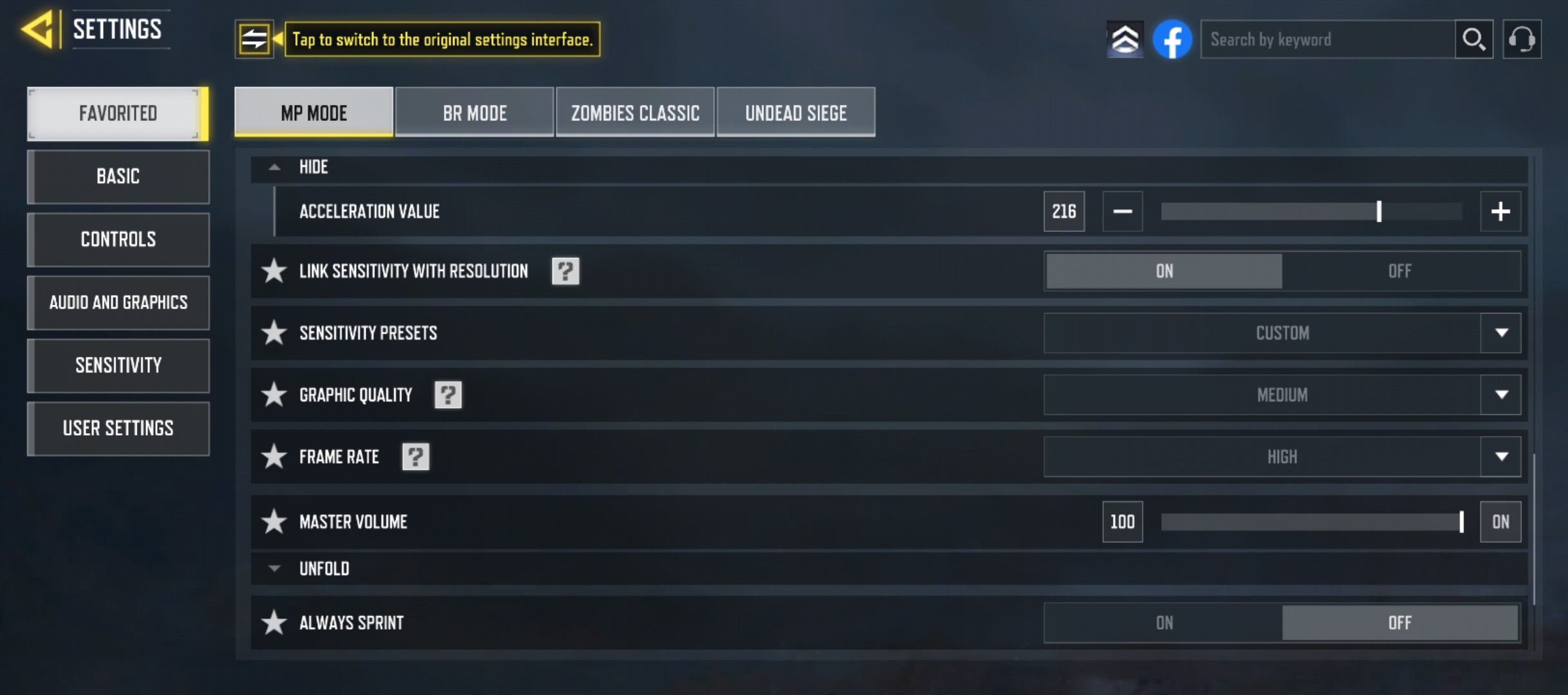
Multitasking, switching apps, social media running, and even playing games like Call of Duty Mobile on medium settings with high frame rate felt solid and smooth. The phone was able to manage heat perfectly, although it has a metal body, you would expect it to get hot to egg fry level, but no, the heat generated was minimal and due to prolonged use at high performance level.
Battery & Charging: Best-in-Class for the Price
Battery life is a big plus here. The 5,200mAh battery easily lasted a full day of heavy usage, with plenty of juice to spare for bedtime browsing. But the real star is Infinix’s All-Round FastCharge 3.0 system:
- 90W wired quick charging (0-100% in under 40 minutes)
- 30W wireless charging
- Reverse wireless charging
Yes, all of that, on a budget phone. And Infinix even included a magnetized case in the box for optimal wireless charging alignment. Thoughtful and practical.
Software & AI: Packed with Smart Tools
Running on Android 15 with XOS 15, the software experience is smooth, clean, and refreshingly modern. Infinix promises three years of support (two major OS upgrades), and I’ve already received a couple of minor updates during my test period.
What really stood out is the new DeepSeek AI integration. Infinix’s “One Tap AI” system , activated by holding the power button , brings up Folax, a friendly AI assistant with voice personality options and real utility.
Let’s take a closer look at the most useful features under the Infinix AI suite:
Call Summary & Translation
This feature automatically summarizes the call when it ends , ideal for those who accept business or work calls and would like an instant overview of key points without manually recording them.
Even more incredible, the phone has real-time voice translation during calls. This can be a lifesaver for people who speaks across languages, whether for business, school, or social interactions. The call screen displays the translation as subtitles on the screen, similar to live captions.
Smart Touch
This is also one of my favorite features , tap and hold the screen with two fingers on any app, photo, or web page, and the phone intelligently identifies and separates the text for you to copy, share, or save.
It’s really good at working on Instagram captions, PDFs, screenshots, and even handwritten notes (if readable please). No need for third-party OCR apps. It’s built right into the OS.
AI Cutout
Love editing photos? With AI Cutout, I was able to tap and hold on objects in a photo, and the phone automatically cut out the background, leaving the object or person isolated.
It is perfect for creating stickers, thumbnails, social media posts, or just messing around. It’s fast, accurate (in most lighting conditions), and eliminates the need for apps like Canva or Remove.bg for a quick edit.
Circle to Search
Spurred by hero Android feature articles, Circle to Search allows you to draw a circle over anything on your screen , object, text, or image , and the phone will perform a contextual search on the net for you.
Reading a text with a reference you’re unfamiliar with? Circle the word. It’s like having Google Lens integrated into every part of your phone.
Dual System
This is one privacy feature that is not really talked about or emphasised on. Under Dual System, the Note 50 Pro allowed me create two separate spaces on the device , with each having its own app data, settings, and lock process.
For example:
I may use one for work and leave the other one for personal use.
Or create a “decoy system” In case you need someone else to use your phone, but not your actual data, or your phone needs to be checked and you have sensitive information you don’t want to share with the person checking
Every system can be logged into with an individual fingerprint or password. In setup, it’s easy to switch between the two discreetly.
Multi-User Support
Besides Dual System, Multi-User Mode lets you create alternate user profiles, ideal for household phones used by multiple users, or giving children a secure, filtered version of your device.
Each account has standalone information, apps, and even limited parental control access, just like you’d have on Chromebooks or tablets.
Writing Assistant
For any phone writer, blogger, social media manager, student. The Writing Assistant is a godsend. It can:
Paraphrase text in different tones (formal, casual, brief)
Correct grammar and spelling
Offer style suggestions for longer writing tasks (like emails or essays)
Think of it as a built-in Grammarly, seamlessly integrated into your keyboard and supported natively across apps like Notes, Gmail, WhatsApp, and even browser forms
Other Standout AI Features
- Smart Panel: App and tool shortcuts at your fingertips with a side swipe
- Folax Voice Assistant: Now smarter with DeepSeek AI and personalized voice interactions
- Object Eraser in Gallery: Tap to remove unwanted elements or photobombers
- AI Wallpapers & Themes: Suggests and generates wallpapers based on your usage habits or photos
Infinix has truly gone all-in on smart features, making the software feel fun and genuinely helpful. Not just making use of the AI buzz word but actually showing the workings
Camera Performance: More Than Just Megapixels
The camera setup includes:
- 50MP main sensor with OIS
- 8MP ultra-wide
- 32MP selfie camera
Compared to last year’s 108MP sensor on the Note 40 Pro, this year’s configuration offers better processing and more consistent results, especially in HDR scenarios and low-light environments. The photos are full of color, detailed, and color-balanced in both rear cameras.
Low-light photography is decent at this price level, and video capture maxes out at 2K 30fps with OIS. It’s not movie quality, but it’s stable, clean, and more than enough for amateur artists or content enthusiasts.
The front-facing camera delivers good detail and color.
Health Features: A Wellness Bonus
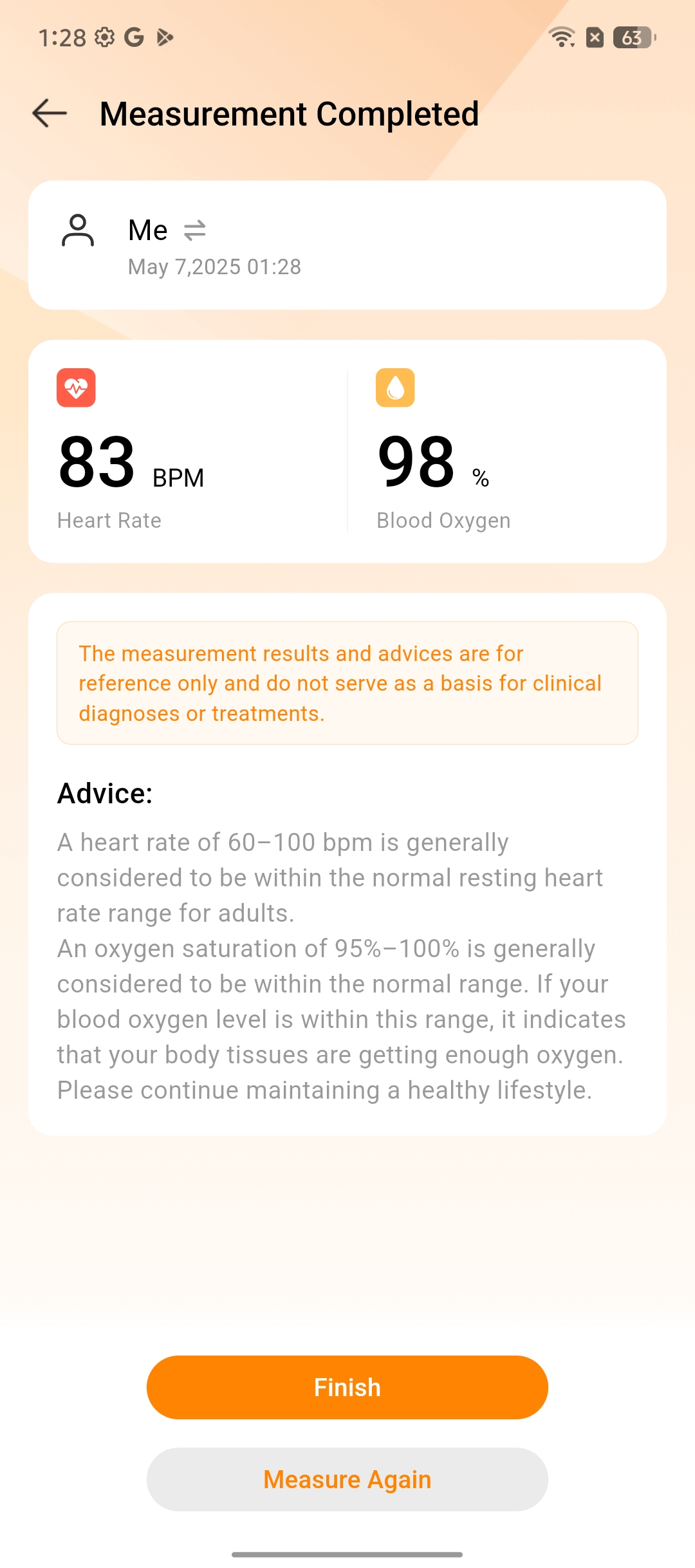
The bio-active halo sensor is not merely a showpiece. It actually monitors your heart rate and SpO2 (blood oxygen) levels. It’s a niche feature for the health sector, sure but in a post-COVID world where personal health monitoring is on the rise, it’s a welcome addition.
To find something like this on a budget phone is nothing less than astonishing.
Infinix Note 50 Pro – Final Verdict
✅ What I Loved:
- Flagship-grade metal build
- Gorgeous 144Hz AMOLED display
- Super-fast 90W charging + 30W wireless
- Excellent AI features with DeepSeek AI
- Heart rate sensor (a rare gem)
- Solid camera performance
- JBL stereo speakers
❌ Areas to Improve:
- No 5G support (Note 50 Pro+ 5G offers this)
- Lacks microSD card slot (it is expandable virtually)
- IP64 water resistance(meaning that it is protected from dust and water spilling but cannot be submerged in water) is decent but can be better
Should You Buy It?
If you’re looking for a smartphone under ₦400K that doesn’t compromise on build, features, or performance, the Infinix Note 50 Pro is one of the best value-for-money smartphones in the Nigerian market right now.
It’s perfect for:
- Students & young professionals
- Content creators on a budget
- Tech enthusiasts who love flagship features without the flagship price
Final Rating: 7.5/10 – Redefining Budget Excellence
Infinix has raised the bar, and the competition has caught up.




















 and then