
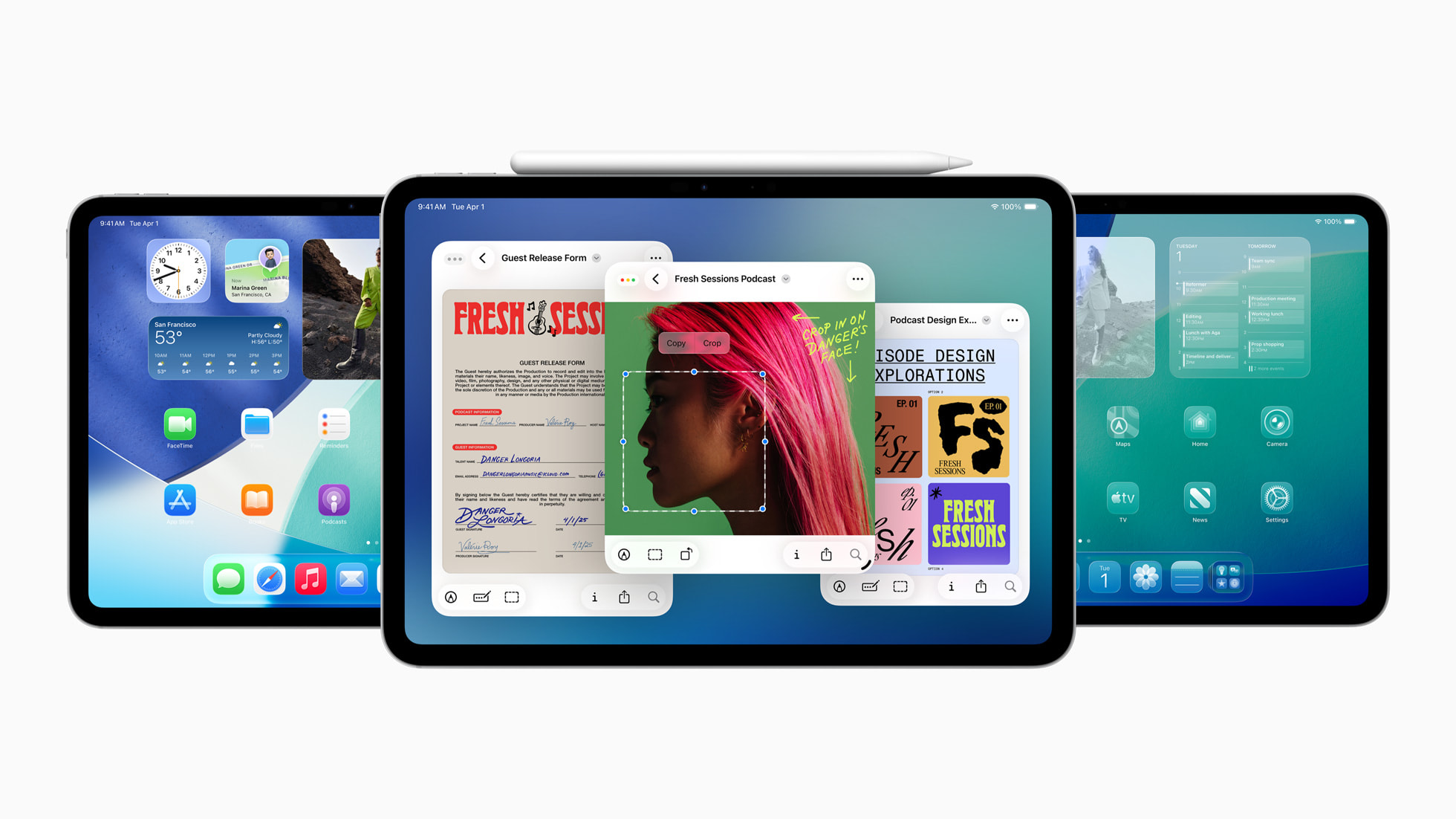
image credits: Apple
📱 What Is iPadOS 26?
iPadOS 26 is Apple’s newest operating system for iPad, officially unveiled at WWDC 2025. With a focus on productivity, design, and artificial intelligence, this update transforms the iPad into a more powerful, Mac-like device while still keeping its intuitive touch-first experience.
Apple Intelligence: The AI Revolution on iPad
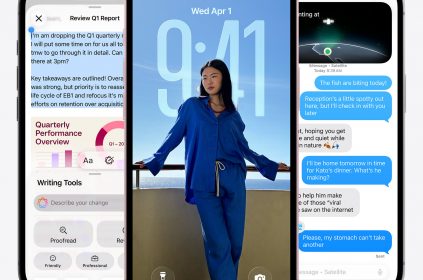
Apple Intelligence — Apple’s suite of generative AI features — plays a major role in iPadOS 26. It integrates deeply across the system, including:
-
Genmoji: Create custom emojis from text prompts.
-
Image Playground: Generate images in styles like sketches, paintings, or animations.
-
Smart Summaries: Summarize articles, lecture transcripts, and more.
-
Context-aware Actions: Your iPad now understands what you’re doing and can suggest actions, like summarizing notes after a FaceTime lecture.
Mac-Like Multitasking and UI Enhancements
iPadOS 26 finally blurs the line between iPad and Mac:
-
Floating Menu Bar: A persistent system-wide bar, similar to macOS, for easier navigation.
-
Window Tiling and Exposé: Organize and preview multiple apps with advanced multitasking.
-
Background Processes: Run longer tasks (like file uploads or rendering) with Live Activities showing progress in real-time.
-
Resizable Windows: Drag and drop windows, snap to sides, and manage split-screen views better than ever.
Files App Gets a Major Upgrade
The Files app is redesigned for a more desktop-like experience:
-
List View with custom column sizes and collapsible folders.
-
Folder Color Customization: Organize visually with different colors and icons.
-
Drag Folders to Dock: For faster access and multitasking.
-
Full support for external drives and compressed files.
New Native Apps: Journal and Apple Games
1. Journal App
This personal diary app comes with:
-
Rich media entries (text, photos, location, audio).
-
Calendar view for daily tracking.
-
On-device suggestions from your photos and locations.
2. Apple Games App
-
See friends’ achievements.
-
Game overlays with real-time chats.
-
Events, leaderboards, and controller support in one place.
Audio and Microphone Enhancements
iPadOS 26 makes a leap in sound quality:
-
Voice Isolation: Clearer audio for video calls and recordings.
-
Multi-input Mic Routing: Choose different microphones per app.
-
Local Call Recording Support: Built-in for certain apps (subject to regulations).
-
Spatial Audio for FaceTime: Feels like people are positioned naturally in space.
Live Translation Features
-
Real-time translations across Messages, Safari, FaceTime, and Phone.
-
Works offline with downloaded language packs.
-
Supports Arabic, Chinese, French, Spanish, Yoruba, Hausa, and more.
Device Compatibility for iPadOS 26
Here’s the full list of iPads that support iPadOS 26:
Supported Devices:
-
iPad Pro (M4)
-
iPad Pro 12.9‑inch (3rd-gen and newer)
-
iPad Pro 11‑inch (1st-gen and newer)
-
iPad Air (M2 and 3rd-gen and newer)
-
iPad Mini (A17 Pro and 5th-gen and newer)
-
iPad (A16 and 8th-gen and newer)
Unsupported Devices:
-
iPad 7th generation and older (with A10 chips)
Older models like the iPad 6th and 7th gen will remain on iPadOS 18.
iPadOS 26 Release Timeline
| Stage | Date | Details |
|---|---|---|
| Developer Beta | June 10, 2025 | Available via Apple Developer Program |
| Public Beta | July 2025 | Free for all testers via Apple Beta Software Program |
| Final Public Release | September 2025 | Likely between Sept 15–22, alongside new iPads |
Design Language: Liquid Glass
iPadOS 26 introduces Apple’s new Liquid Glass design:
-
Enhanced transparency effects and depth.
-
Unified icons and typography across apps.
-
Better haptic feedback and animations.
Other Features You’ll Love
-
Stage Manager Improvements: More responsive and customizable.
-
Universal Clipboard Boost: Now works faster and syncs instantly with Mac and iPhone.
-
Preview App on iPad: Edit, sign, and mark up PDFs natively — finally!
-
Reminders & Notes: Now includes Smart Folders, Tags, and Priority Filters.
For Developers
iPadOS 26 provides new APIs:
-
App Intents for Apple Intelligence integrations.
-
Live Activities for long processes.
-
Game Controller Support with custom button mapping.
Final Thoughts
iPadOS 26 isn’t just an update — it’s a reinvention of the iPad experience. With powerful AI tools, advanced multitasking, audio improvements, and new productivity apps, Apple is finally delivering on the “laptop replacement” promise. If you own a compatible iPad, the public beta coming this July is well worth exploring.


















 and then